The most powerful tool you can have is the ability to move information freely.
Efficiently transferring files between your host machine and a QEMU‑emulated Buildroot system becomes essential when testing kernel modules, applications, or firmware artifacts. This guide explains how to enable SSH inside Buildroot, verify connectivity, and use scp to move files seamlessly from host to guest.
Prerequisite
Before proceeding, ensure your Buildroot filesystem includes the OpenSSH server. Inside Buildroot, enable:
Target packages  --->
	Networking applications  --->
		[*] openssh
		[*]   server
Rebuild the root filesystem after enabling these options.
Inside filesystem, add following line to /etc/ssd/ssd_config file
PermitRootLogin yes
Verifying SSH Access
Buildroot’s QEMU images commonly forward the guest’s SSH port 22 to host port 2222. Test connectivity:
ssh root@localhost -p 2222
If the login succeeds, SSH is running correctly.
Transferring Files with scp
You can copy files, such as kernel modules (.ko), from your host machine into the Buildroot QEMU guest.
scp -P 2222 hello.ko root@localhost:/root/

# Syntax
# scp -P [custom-port] [Source] [Destination]

/root directory.
Checking the File Inside the Guest
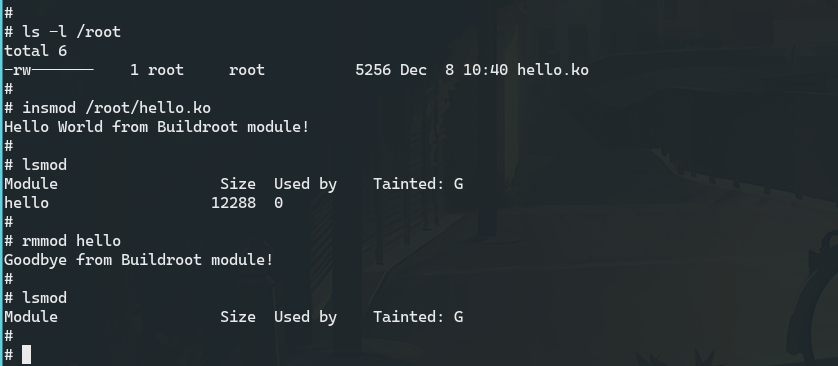
Once inside the QEMU Buildroot shell, verify the transferred file:
ls -l /root
Confirm that the .ko file is present and readable. At this point, you can insert it using:
insmod /root/hello.ko